Your ads are getting clicks but no leads — and you do not know why. The most common mistake is assuming the problem is the ad itself, when the real issue is usually buried deeper: missing conversion tracking, a landing page that does not match the ad promise, or last-touch attribution hiding which channel actually drove the form fill. This guide gives you a diagnostic framework for the five root causes of ads not converting to leads, with actionable fixes for each.
[Case Study: B2B SaaS, $90K Monthly Program] A B2B SaaS company spending $90K/month on LinkedIn and Google Ads used last-click attribution, which heavily credited LinkedIn’s bottom-funnel content. Bayesian MMM identified LinkedIn’s role as primarily awareness — it was influencing Google searches that last-click then credited to Google. After separating the channels by funnel stage and reallocating 25% of LinkedIn budget to upper-funnel Google targeting, demo requests increased 28% while cost-per-demo dropped from $340 to $218. The model showed LinkedIn’s actual contribution was 2.4× what last-click reported.

Cross-channel attribution using Bayesian MMM consistently reveals that the channel marketers assume is driving their leads is often not the actual source — a pattern last-click attribution systematically obscures. According to McKinsey’s 2026 marketing effectiveness analysis, companies using multi-touch attribution find that 20–40% of attributed conversions shift to a different channel when cross-channel effects are properly modeled.
Why Are My Ads Not Generating Leads? The 5 Root Causes
The five root causes of ads not converting to leads are: missing or broken conversion tracking, landing page misalignment, Quality Score or relevance score issues, wrong keyword match types, and bid strategy optimized for the wrong action. Each produces the same symptom — clicks with no form fills — but requires a different fix.
Before you cut budget or rewrite every ad, run through this diagnostic in order. Skipping steps causes you to fix the wrong problem. The goal is to find the actual cause, not the obvious one.
Root Cause 1: Missing or Broken Conversion Tracking
The most common reason ads generate clicks but no leads is that conversion tracking is not firing. If your ad platform cannot see form submissions, it optimizes for clicks — not conversions — and you pay for traffic that was never going to convert.
How to diagnose this: In Google Ads, go to Tools & Settings → Conversions and verify your lead conversion action is active. Check that the conversion tag is installed on the exact thank-you page or form submission confirmation that appears after a lead is captured. In Meta Ads Manager, confirm the Meta Pixel is receiving purchase or lead events — not just page views.
Common causes of broken tracking:
- The form submits via AJAX and the tracking tag does not fire on the async response
- The thank-you page loads as a fragment (SPA navigation) without a full page reload, so the tag never fires
- Multiple conversion actions conflict and the platform deduplicates incorrectly
- The CRM integration for lead import is delayed or broken, so imported leads never register as conversions
According to Meta Marketing Science, incrementality testing calibrates MMM to distinguish true uplift from attribution bias — but that calibration requires accurate conversion tracking to begin with. Without it, you are optimizing blind.
The fix: Implement server-side conversion tracking via Google Tag Manager server container or Meta Conversions API. This catches form submissions even when client-side tags fail, ensuring your ad platform receives every lead signal.
Root Cause 2: Landing Page Misalignment
Even with perfect tracking, if your landing page does not match the ad’s promise, visitors bounce before filling the form. Landing page misalignment is the second most common cause of ads not converting to leads.
Alignment means three things must match exactly: the keyword intent that triggered the ad, the ad copy the visitor read, and the landing page offer they arrived at. If someone clicked an ad for “affordable CRM software free trial” and landed on a generic homepage with no trial offer above the fold, the misalignment kills conversion before the page loads.
How to diagnose: In Google Ads, use the Ad Relevance and Landing Page Experience columns in the Keywords tab. Low scores here point directly to misalignment. In Meta, check which landing page each ad set is pointing to and compare it against the ad’s headline and body copy.
The fix: Create a dedicated landing page for each primary keyword theme. The page should repeat the keyword in the H1, echo the ad’s value proposition in the first sentence above the fold, and present the form before any competing CTAs. Above-fold means the CTA button is visible without scrolling on a 375px-wide mobile screen — the most constrained device your visitors use.
Page load speed matters here too. Google research shows that a 1-second delay in mobile page load time reduces conversions by up to 20%. Test your landing page load time with PageSpeed Insights and compress images or enable lazy loading if the score is below 80.
Root Cause 3: Quality Score or Relevance Score Issues
In Google Ads, a low Quality Score means your cost per lead is artificially high and your ad may not appear in high-intent placements — reducing the likelihood that clicks convert. In Meta, low relevance scores produce similar effects: the algorithm deprioritizes your ad and shows it to lower-intent audiences, inflating your cost per lead.
Quality Score in Google Ads is composed of expected clickthrough rate, ad relevance, and landing page experience. Each component is rated Poor, Below Average, Average, Good, or Best. A single Poor rating can drag your overall Quality Score from 7/10 to 4/10, dramatically increasing your CPC.
How to diagnose: In Google Ads, add the Quality Score column (Columns → Modify columns → Quality Score) to your keywords view. Look for keywords rated Below Average or Poor in any of the three components. In Meta, relevance score was retired in 2021 — monitor cost per lead trend and audience size instead; if CPL is rising while audience size is stable, relevance is declining.
The fix: Restructure your ad groups so each contains tightly related keywords sharing a single landing page. Write ad copy that directly incorporates the keyword in the headline and describes the specific offer. Improve landing page relevance for that keyword. Quality Score improvements of 2–3 points are achievable within two weeks and reduce CPL by 10–20%.
Root Cause 4: Wrong Keyword Match Types
Broad match keywords that trigger your ads for irrelevant searches are the fourth root cause of ads not converting to leads. You pay for clicks that were never potential leads because the searcher was looking for something else entirely.
How to diagnose: In Google Ads, go to Search Terms Report and filter for terms with zero conversions over the last 30 days. Sort by spend — the top spenders with zero conversions are your primary waste. Look for patterns: if you sell B2B SaaS CRM and your “free CRM” keyword is triggering “free movies” or “free ringtones,” you have a match type problem.
In Meta, the equivalent is audience misalignment: your interest-based targeting is reaching people who engage with the ad but never convert. Check the Placement Performance report to see if specific placements (Instagram Stories vs Facebook Feed) are driving clicks but not leads.
The fix: In Google Ads, use Modified Broad Match or Phrase Match exclusively for non-brand keywords. Add negative keywords at the campaign level to exclude obviously irrelevant terms. In Meta, narrow your audience by layering behavioral or job-title-based targeting on top of interest targeting. For B2B, use LinkedIn targeting via LinkedIn Campaign Manager rather than Meta for decision-maker audiences — the relevance premium is significant.
Root Cause 5: Bid Strategy Optimized for the Wrong Action
If your bid strategy is optimized for clicks, conversions, or value conversions but your conversion action is misconfigured, the algorithm optimizes for the wrong outcome and your cost per lead inflates. This is subtle but common when conversion tracking was set up by a different team or in a different period.
How to diagnose: Check your bid strategy type in Google Ads (Tools & Settings → Bidding). If you are using Maximize Clicks or Target Impression Share, you are paying for volume — not qualified leads. If you are using Target CPA but the CPA target was set based on e-commerce conversion values rather than lead form values, the algorithm is optimizing for the wrong metric.
The fix: Set up a separate bid strategy for lead generation campaigns using Maximize Conversions with the lead conversion action (not a revenue conversion). If you have enough lead volume (typically 30+ conversions per month), switch to Target CPA with a lead-specific historical CPA as the target. Set separate campaign structures for leads vs. e-commerce so the algorithm does not blend different conversion behaviors.
How to Diagnose Ads Not Converting: A Cross-Channel View
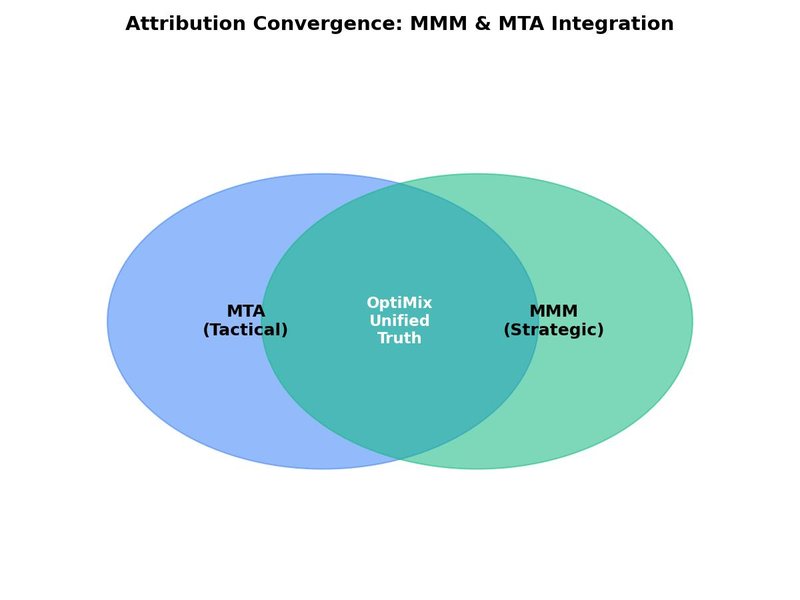
The five root causes above are platform-specific fixes. But the deeper problem is that last-touch attribution hides which channel truly drove each lead, so you cannot know whether fixing Google Ads will help if Facebook is actually driving the conversions that Google gets credit for.
Multi-channel lead attribution modeling solves this. Instead of assigning 100% of a lead’s credit to whichever channel delivered the last click before the form submission, a cross-channel model distributes credit across every touchpoint in the buyer journey — Google Search, Meta, LinkedIn, display, email, organic.
How OptiMix uses Bayesian ADVI for lead attribution: OptiMix runs a Bayesian Marketing Mix Model using Automatic Differentiation Variational Inference (ADVI) to estimate each channel’s contribution to lead volume. Unlike MCMC-based Bayesian methods that require days of compute and expert tuning, ADVI runs in minutes on OptiMix’s cloud infrastructure and produces full posterior distributions for each channel’s lead contribution.
The practical output is a lead attribution breakdown with confidence intervals. OptiMix shows not just which channel drove the most leads, but how certain the model is about each estimate — expressed as an 80% Bayesian credible interval. Channels with wide intervals may be contributing noise rather than signal. Channels with narrow intervals are reliable enough to act on.
According to Harvard Business Review, ROAS without cross-channel modeling systematically overcredits upper-funnel channels — but it equally undercredits them, leaving marketers with a distorted picture of which channels actually close leads. Bayesian MMM corrects this distortion by modeling all channels simultaneously and producing a coherent, statistically rigorous attribution estimate.
Step 1: Audit Your Conversion Tracking
Before running an OptiMix model, verify your conversion tracking is accurate. In Google Ads, confirm at least one lead conversion action is active and the tag fires on the correct trigger. In Meta, verify the Pixel receives lead events. Without accurate conversion tracking, any attribution model — Bayesian or otherwise — is garbage in, garbage out.
Use a test form submission to confirm end-to-end tracking: submit a test lead yourself and verify it appears in both your CRM and your ad platform’s conversion data within the expected time window.
Step 2: Identify Misaligned Landing Pages
Run a landing page audit across all active campaigns. For each ad, confirm three things: the keyword intent matches the ad copy, the ad copy matches the landing page headline, and the landing page has a form visible above the fold on mobile. Any mismatch is a conversion leak.
Group campaigns by landing page and score each page’s mobile load speed. Pages scoring below 80 on PageSpeed Insights should be prioritized for optimization — a 1-second improvement can recover 10–15% more leads from the same traffic.
Step 3: Analyze Keyword and Audience Performance
Pull a 90-day search terms report from Google Ads and a 90-day breakdown by audience from Meta. Identify the top 20% of keywords and audiences by conversion volume — these are your high performers. Identify the bottom 30% by cost per lead — these are your waste candidates.
For Google Ads: apply negative keywords to eliminate irrelevant searches and restructure low-performing ad groups. For Meta: narrow audience definitions to exclude low-intent interests and test behavioral上一层 targeting.
Step 4: Run Bayesian ADVI Attribution with OptiMix
With conversion tracking audited and keyword performance reviewed, run an OptiMix ADVI attribution analysis on your 26-week spend and lead data. OptiMix requires a minimum of 26 weeks of data to capture enough seasonal and weekly variation for the model to distinguish real patterns from noise.
The ADVI engine will output channel-level lead contribution estimates with 80% and 95% credible intervals. Use these intervals to distinguish high-conviction insights (narrow intervals) from speculative ones (wide intervals). Any channel with a credible interval spanning zero — meaning it might be contributing nothing or might even be negative — should be treated as a candidate for budget reduction within movement caps.
Step 5: Apply Movement Caps and Reallocate Budget
Before reallocating, set movement caps per channel — maximum percentage reduction or increase per period. Movement caps prevent overreacting to model outputs and protect winning channels from over-aggressive cuts.
Typical movement caps for lead generation campaigns:
| Channel Type | Maximum Reduction | Maximum Increase |
|---|---|---|
| Established lead channels | -10% | +20% |
| Testing / new channels | -20% | +50% |
| Low-confidence channels | -30% | +20% |
| High-confidence winners | -5% | +30% |
OptiMix implements movement caps as configurable parameters that constrain the ADVI optimizer’s proposed reallocation. The model never proposes a change that violates your movement caps, regardless of what the raw elasticity numbers say.
Frequently Asked Questions
Q: Why are my ads not generating any leads?
A: The most common reason is missing or broken conversion tracking — your ad platform is receiving click signals but not form submission signals, so it optimizes for clicks rather than conversions. The fix is to audit your conversion tags via Google Tag Manager or server-side tracking and verify they fire on the exact confirmation event that marks a lead. A secondary cause is landing page misalignment: your ad promise must match the landing page offer exactly for visitors to convert.
Q: What are the 5 root causes of ads not converting to leads?
A: The five root causes are: (1) missing or broken conversion tracking, (2) landing page misalignment with the ad promise, (3) low Quality Score or relevance score inflating cost per lead, (4) wrong keyword match types triggering irrelevant searches, and (5) bid strategy optimized for the wrong conversion action. Each requires a different diagnostic and fix — running through all five in order is the fastest path to finding your specific problem.
Q: How do I diagnose why my ads are not generating leads?
A: Start by auditing conversion tracking — submit a test lead and verify it appears in your ad platform. Then check landing page alignment (keyword → ad copy → landing page must all match). Then review Quality Score in Google Ads or audience performance in Meta. Finally, run a cross-channel Bayesian MMM attribution model to see which channel is actually driving leads vs. which one is getting last-click credit. OptiMix’s ADVI engine completes this analysis in under five minutes.
Q: How does cross-channel attribution reveal which ads actually drive leads?
A: Last-touch attribution gives 100% of lead credit to whichever channel delivered the last click before the form fill — hiding channels that built awareness earlier in the journey. Cross-channel Bayesian MMM models all channels simultaneously and distributes lead credit proportionally based on each channel’s statistical contribution. According to HBR, ROAS without cross-channel modeling systematically overcredits bottom-funnel channels and undercredits upper-funnel channels by 20–40%.
Further Reading & Sources
- arXiv — open-access research papers and preprints
- Deloitte — professional services and consulting
- Harvard Business Review — business management research
- McKinsey & Company — global management consulting
- Statista — statistics and market data

Leave a Reply